
Download Olvy Changelogs – AI‑Powered Product Update Tool for Seamless Releases
Overview
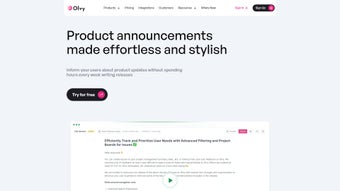
Olvy Changelogs is an AI‑driven web application that takes the hassle out of announcing product updates and feature releases. Designed for SaaS teams, startups, and any organization that ships software regularly, Olvy provides a dedicated, visually appealing changelog page that can be hosted on a custom domain or embedded directly into your product. The platform’s no‑code builder lets you match the look and feel of your brand without writing a line of CSS, while its AI writing assistant helps craft concise, engaging release notes in seconds.
Whether you need a simple sidebar banner, a modal window, or a full‑screen popup, Olvy offers multiple display modes so updates always appear where they’ll be seen. Beyond aesthetics, the tool is SEO‑ready, meaning search engines can index your changelog pages and drive organic traffic to feature announcements. Olvy also consolidates user feedback, allowing teams to collect comments, vote on requests, and track sentiment—all from the same dashboard.
This combination of design flexibility, AI assistance, and feedback management makes Olvy Changelogs a one‑stop solution for keeping users informed and engaged.
Key Features
- AI‑assisted release‑note generation that reduces copywriting time.
- Customizable changelog pages with drag‑and‑drop builder.
- Multiple display widgets: sidebar, modal, popup, and in‑app banner.
- SEO‑optimized URLs and meta tags for better search visibility.
- Support for custom domains and HTTPS for secure hosting.
- Integrated feedback collection with voting and comment threads.
- Real‑time analytics on update views and user interaction.
- One‑click script integration for instant deployment.
- Multi‑language support for global product teams.
- Role‑based access control to manage who can publish updates.
Installation & Compatibility
Getting Olvy Changelogs up and running is intentionally simple. After signing up, you receive a unique JavaScript snippet that you paste into the or of your web application. The script automatically registers your product, pulls the latest changelog entries, and renders the selected widget style. No additional dependencies or build‑tool configurations are required, making it ideal for both static sites and complex SPAs.
Step‑by‑Step Installation
- Create an account: Register on Olvy’s website using your email or single sign‑on (SSO) provider.
- Configure your changelog: Use the visual builder to add sections, images, and links. Choose a display mode (sidebar, modal, popup).
- Copy the embed code: In the dashboard, navigate to Integration → Script and copy the generated snippet.
- Paste into your app: Insert the snippet before the closing
tag or within your framework’s global layout component. - Publish: Hit “Save” in Olvy, and the update appears instantly for all users.
Supported Operating Systems & Platforms
Olvy Changelogs works across all major browsers and platforms, including Windows, macOS, Linux, Android, and iOS. Because it runs as a client‑side script, there’s no need for native SDKs; the same snippet powers web apps, mobile‑responsive sites, and hybrid frameworks like React Native, Flutter (via WebView), and Ionic.
For teams using CI/CD pipelines, Olvy also offers a REST API to push changelog entries programmatically, ensuring that release notes stay in sync with your version control system. Whether you’re deploying a desktop Electron app or a progressive web app, Olvy’s lightweight script (under 15 KB gzipped) guarantees fast load times and minimal impact on page performance.
Pros, Cons & Frequently Asked Questions
Pros
- AI writing assistant dramatically cuts copywriting effort.
- No‑code builder lets non‑technical team members create polished changelogs.
- Multiple widget styles give flexibility for different UI contexts.
- SEO‑ready pages improve discoverability of product updates.
- Integrated feedback loop turns announcements into actionable insights.
- Easy one‑line integration works with any web technology stack.
Cons
- Currently limited to web‑based deployments; native mobile SDKs are in roadmap.
- Advanced customization (e.g., custom animations) may require additional CSS.
- Free tier caps the number of monthly active users and stored feedback entries.
Frequently Asked Questions
Can I use Olvy Changelogs with a static site generator like Hugo or Jekyll?
Yes. Since Olvy injects a JavaScript widget at runtime, you simply add the embed script to your layout template. The changelog content is fetched from Olvy’s servers, so no build‑time processing is required.
Is the AI assistant able to translate release notes into multiple languages?
Olvy’s AI can generate drafts in English and then suggest translations for supported languages. You can edit the output before publishing, ensuring accurate localization.
How does Olvy handle user privacy and GDPR compliance?
Olvy stores feedback data in GDPR‑compliant data centers, provides data‑export tools, and allows you to delete individual entries on request. All communication is encrypted via HTTPS.
Can I customize the look of the widget beyond the visual builder?
Yes. The builder outputs clean HTML and CSS classes that you can override in your own stylesheet. Advanced users can also add custom JavaScript callbacks for analytics.
What pricing plans are available and is there a free tier?
Olvy offers a free tier that includes up to 1,000 monthly active users and basic feedback collection. Paid plans start at $49 per month, adding unlimited users, premium support, and advanced analytics.
Conclusion & Call to Action
Olvy Changelogs bridges the gap between product development and user communication with a blend of AI assistance, design flexibility, and feedback management. Its lightweight integration means you can start publishing polished release notes within minutes, while the SEO‑friendly architecture helps your updates reach a broader audience. For teams that value speed, clarity, and data‑driven engagement, Olvy provides a compelling alternative to building a custom changelog solution from scratch.
Ready to keep your users informed and boost adoption of new features? Download Olvy Changelogs now and experience a seamless, AI‑powered update workflow that scales with your product roadmap.



.png)



